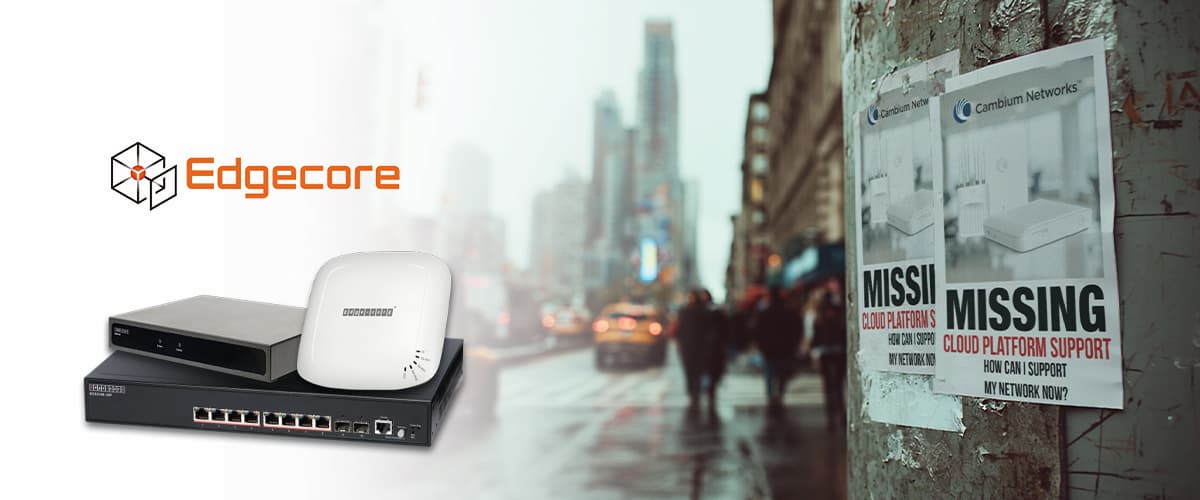
If you run Cambium equipment, it's fair to say the last few weeks have been unsettling. In September, the company's main trading business went into administration. Enterprise customers were then told that the cloud platform managing their Wi-Fi, switches and firewalls might stop supporting their devices within a fortnight.
A buyer has since stepped in, which is genuinely good news. But for a lot of IT teams and managed service providers (MSPs), the episode raised a bigger question: what happens to our network if a vendor gets into trouble again?
That's what this article is about. We'll run through what happened, what's still unclear and the practical options open to you. Along the way, we'll show where Edgecore fits. We've worked with Edgecore since 2012, and its open approach is designed to avoid exactly this kind of dependency: open firmware, a choice of controllers and on-premises management options.
So, What Happened?
The short version: Cambium's problems built up over more than a year.
- August 2025: Cambium admitted that its financial reports for 2022, 2023 and six later quarters contained errors and couldn't be relied on.
- March to August 2026: Nasdaq delisted the shares after repeated filing delays, and Cambium's appeal failed.
- September 2026: Cambium Networks Ltd, the group's UK trading company, entered administration.
- 260 jobs went.
- Production of Wi-Fi access points, NSE firewalls and cnMatrix switches stopped.
- Customers were warned that cnMaestro Cloud might not support Enterprise devices after 1 October. That deadline was later extended through at least October.
- 22 September 2026: Airspan bought the defence business and the fixed wireless lines: PMP 450, PTP, cnWave and cnReach.
- 14 October 2026: Univastu India Limited bought the ePMP and Enterprise businesses, along with cnMaestro. It says production will resume and cnMaestro Cloud will keep running (read Cambium's announcement).
Rescued, But Questions Remain
Let's be clear: the Univastu deal is welcome news for anyone with Cambium kit in service. But it's the start of a rebuild rather than the end of the story.
At the time of writing, there's no word on how any of the following will be handled:
- warranties and RMAs
- cnMaestro X and NSE subscriptions
- support contracts
There's no published roadmap either. The new owner's background is engineering and construction rather than networking, and it's taking on a business that has lost more than half of its staff.
None of this means your Cambium equipment is about to stop working. Access points will keep passing traffic. Switches will keep switching. The real risk sits one layer up.
The Real Lesson: Where Does Your Controller Live?
For enterprise customers, the most worrying moment wasn't the administration itself. It was the warning about cnMaestro Cloud, the platform used to configure, monitor and update Cambium Wi-Fi, switches and NSE firewalls.
The fallback wasn't straightforward either. On-premises cnMaestro was offered on a 90-day trial licence, and it still relied on Cambium's Cloud Anchor service to add or remove devices.
NSE 3000 users had the toughest time. The on-premises version of cnMaestro didn't support the NSE 3000 at all. That meant branch connectivity and security at a lot of sites depended on a cloud service with an uncertain future.
The hardware was fine. The management was the problem.
So before your next purchase, from whichever vendor, it's worth asking three questions:
- Where can the controller run? Can you host management yourself, on your own hardware or in a private cloud, if the vendor's cloud goes away?
- Is the hardware tied to one platform? Can the devices run open firmware, such as OpenWiFi, and be managed by more than one controller?
- Can you take your network with you? Are configuration exports and APIs available, so you can move platforms without rebuilding every site?
Migrate Now or Dual-Source?
Honestly, there's no single right answer, and plenty of organisations will end up doing a bit of both.
Migrate now if:
- you run NSE 3000 or NSE 4000 appliances, which put your WAN edge, firewall and SD-WAN in one box
- sites are due a refresh, or you're planning new branches
- your contracts or compliance obligations require a supplier with a clear support roadmap
- you're an MSP and your customers need certainty now
Dual-source if:
- your Cambium equipment is performing well and still has life left in it
- you'd like to see how Univastu's plans develop before committing
- you want to make sure one vendor's fortunes can't put your whole estate at risk again
Dual-sourcing simply means keeping working Cambium kit in place while standardising new sites and refreshes on a second, open platform. Whichever route you take, the rule is the same: pick and test that second platform before you need it, not after.
Like-for-Like: If You Have This, Consider That
Below are the closest Edgecore matches for the most common Cambium Enterprise products, based on ports, form factor and role. They're not clones, and feature sets do differ, so treat this as a starting point. We'd always recommend a quick requirements check before swapping one for one, plus a site survey for Wi-Fi. Click a heading to collapse or expand each table.
Direct match means the same role and port layout. Close match means similar, with a difference worth checking. Upgrade means a step up in speed or capacity. On a phone, swipe a table sideways to see every column.
SD-WAN and Security (4 matches)
| If you have (Cambium) |
|
Consider (Edgecore) |
Worth knowing |
NSE 3000
2 x GbE WAN, 4 x GbE LAN |
→ |
SDW102
Desktop, 2 x GbE (or 2 x 1G SFP) WAN, 4 x GbE LAN |
Direct match. Same port count. The orchestrator can run on your own x86 appliance or in the cloud, and ecCLOUD is also supported. |
NSE 3000 + separate 4G router
Wired WAN with cellular backup |
→ |
SDW102-L
As the SDW102, plus 4G LTE Cat6 with SIM slot |
Direct match. Brings wired and cellular WAN into one box. |
NSE 3000 at a busier site
Larger branch or regional hub |
→ |
SDW100
1U rack, 2 x GbE (or 2 x 1G SFP) WAN, 8 x GbE LAN |
Upgrade. Up to 500 Mbps tunnel capability and 500 concurrent users. |
NSE 4000
8 x 2.5G (4 x PoE+), 2 x 10G SFP+ |
→ |
SDW101
1U rack, 2 x 10G SFP+ (or 2 x 1G SFP) WAN, 8 x GbE LAN, 2 x 10G SFP+ |
Close match. 10G-capable WAN, but no 2.5G or PoE ports. Pair with a PoE switch if you powered devices from the NSE. |
Wi-Fi Access Points (7 matches)
| If you have (Cambium) |
|
Consider (Edgecore) |
Worth knowing |
XV2-2X / XV2-21X
Wi-Fi 6, indoor |
→ |
EAP101
Wi-Fi 6, 2x2, 2.5GbE PoE uplink |
Direct match. Also adds 2 x GbE LAN ports and BLE/Zigbee radios. |
XV3-8
Wi-Fi 6, 8x8 high density |
→ |
EAP102
Wi-Fi 6, 4x4, 2.5GbE PoE uplink |
Close match. Fewer spatial streams per AP, so very dense areas may need a design review. |
XV2-22H
Wi-Fi 6 wall plate |
→ |
EAP104
Wi-Fi 6 wall plate, 4 x GbE LAN (1 x PoE out) |
Direct match. Well suited to hotels, student accommodation and multi-dwelling units. |
XE3-4 / XE5-8
Wi-Fi 6E (6 GHz) |
→ |
EAP105
Wi-Fi 7, tri-band 2.4/5/6 GHz, 5GbE PoE uplink |
Upgrade. Keeps 6 GHz and steps up to Wi-Fi 7. It has fewer radios than the XE5-8, so plan density with us. |
X7-35X / X7-53X / X7-55X
Wi-Fi 7, indoor |
→ |
EAP105
Wi-Fi 7, tri-band, 5GbE PoE uplink |
Direct match. Runs Edgecore firmware with ecCLOUD, or OpenWiFi firmware. |
XV2-23T / XV2-2T0 / XV2-2T1
Wi-Fi 6 outdoor, IP67 |
→ |
OAP101
Wi-Fi 6 outdoor, IP66/IP68, 2.5GbE PoE uplink |
Direct match. Pole or wall mount. |
XE3-4TN
Wi-Fi 6E outdoor |
→ |
OAP101
Wi-Fi 6 outdoor, IP66/IP68 |
Close match. Edgecore doesn't currently list an outdoor 6 GHz AP, so this is a 2.4/5 GHz replacement. |
Switching (3 matches)
| If you have (Cambium) |
|
Consider (Edgecore) |
Worth knowing |
EX1010-P / EX2010-P
8 x 1G PoE, 2 x SFP |
→ |
ECS4125-10P
8 x 1G/2.5G PoE up to 802.3bt (240W), 2 x 10G SFP+ |
Upgrade. A multi-gig step up, ready for Wi-Fi 7 access points. |
EX2028-P
24 x 1G PoE, 4 x SFP+ |
→ |
ECS4150-28P
24 x 1G PoE+ (370W), 4 x 10G SFP+ |
Direct match. Keeps 10G uplinks. |
EX2052-P
48 x 1G PoE |
→ |
ECS4100-52P
48 x 1G PoE+ (370W), 4 x 1G SFP |
Close match. 1G uplinks. If you need 10G or faster, ask us about the ECS4150-54P. |
A Closer Look at the Edgecore SD-WAN Range
Of everything in a Cambium Enterprise estate, the NSE range was the most exposed, so SD-WAN is the natural place to start.
The Edgecore SDW series is managed by an SD-WAN orchestrator that runs on an x86 appliance in your own data centre or on a cloud platform. You decide where control lives. Each unit can be set up as a hub or a spoke in software. All four models share the same feature set:
- Zero-touch deployment, auto discovery and auto provisioning, with multi-tenant central management
- Auto failover, load balancing, traffic steering and application-aware routing across multiple WANs
- Site-to-site, hub-and-spoke, mesh and work-from-home VPNs
- Firewall, access control by IP, protocol or application, URL filtering and DDoS mitigation
- Static, dynamic (OSPF/BGP) and policy-based routing
- Management via web interface, SSH, HTTP/HTTPS and a RESTful API
Edgecore SDW102
A compact desktop unit with the same port count as the NSE 3000. It delivers up to 300 Mbps tunnel capability and supports 100 concurrent users, and it can also be managed through ecCLOUD. It's a good fit for small offices, retail branches and SMEs.
View the Edgecore SDW102 →
Edgecore SDW102-L
Everything the SDW102 offers, plus 4G LTE Cat6 with a SIM slot and a 4dBi omnidirectional antenna. It handles cellular failover, and it can also get a new site online while you wait for the fixed line.
View the Edgecore SDW102-L →
Edgecore SDW100
A 19" (1U) rack-mount unit with 8 x GbE LAN ports, up to 500 Mbps tunnel capability and 500 concurrent users. It's built for mid-sized enterprise sites and chain stores.
View the Edgecore SDW100 →
Edgecore SDW101
The high-capacity model, with 2 x 10G SFP+ WAN ports and 2 x 10G SFP+ ports alongside 8 x GbE LAN ports. It offers up to 1000 Mbps tunnel capability and supports 1000 concurrent users, for head offices and hub sites.
View the Edgecore SDW101 →
Two things worth knowing
- Sizing. NSE appliances are rated on firewall throughput. Edgecore rates the SDW series on tunnel (VPN) capability. The two figures aren't directly comparable, so size on how much encrypted traffic each site actually pushes. If a branch regularly goes above 300 Mbps through its tunnels, step up from the SDW102 to the SDW100.
- Security. The NSE range bundled unified threat management, such as IDS/IPS and anti-malware. The SDW series covers firewalling, application-aware access control, URL filtering and DDoS mitigation. If your sites rely on deeper threat inspection, we'll help you design the right security layer to sit alongside it.
Wi-Fi, Switching and Management
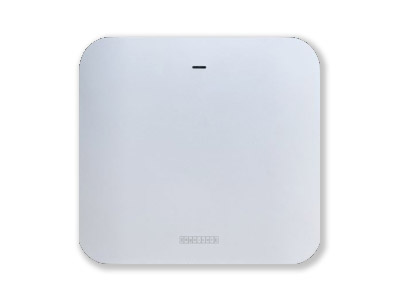
This is where the open approach really earns its keep. Edgecore's Wi-Fi 6 and Wi-Fi 7 access points can run Edgecore firmware managed by ecCLOUD. They can also run OpenWiFi firmware, based on the Telecom Infra Project (TIP) standard, managed by compatible controllers from Edgecore and its partners.
Put simply, if one management platform ever changes direction, your hardware has somewhere else to go.
Browse Wi-Fi 6 access points → Browse Wi-Fi 7 access points →
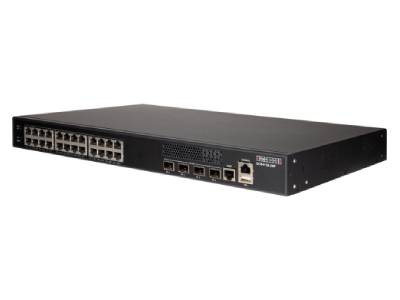
On the switching side, the ECS series runs from 8-port access switches up to full Layer 3 aggregation. There are PoE models for powering access points and cameras, and multi-gig options for Wi-Fi 7. The switches can be managed alongside your access points in ecCLOUD.
Browse enterprise switches →
For management, you can choose between ecCLOUD in the public cloud and ecCLOUD-VPC, your own branded private cloud. There are also on-premises WLAN controllers and open OpenWiFi controllers. Edgecore has written more about why that choice matters in Your Network, Your Choice: The Lasting Value of Open Architecture.
A Quick Checklist
If you have Cambium kit in service today, here's where we'd start:
- Export configurations, device inventories and licence details from cnMaestro now.
- If you moved to on-premises cnMaestro, make a note of when your 90-day trial licence expires.
- Ask Cambium's new owner how warranties, RMAs, subscriptions and support contracts will be honoured.
- Prioritise sites that depend on NSE appliances.
- Run a proof of concept on an alternative platform now, so you're ready whichever way things go.
How We Can Help
We know this is a stressful time for a lot of businesses, and nobody wants to rip out a network that's working. Our team can help you:
- assess your Cambium estate
- map each device to the right Edgecore alternative
- plan a phased migration or a dual-source strategy that suits your budget and timescales
Book a migration consultation
Would you rather see it working first? We can arrange an Edgecore proof of concept or demo, so your team can test SD-WAN, Wi-Fi, switching and management in your own environment before committing to anything.
Request a proof of concept or demo
Whatever happens next with Cambium, you don't have to work it out on your own. Give us a shout.
Sources